My Account
Creating an account is the first step to posting ads and connecting with buyers and sellers. You can create an account by clicking the “Register” or “Sign Up” button on our website. You will need to fill in your details and confirm that you agree to our Terms and Conditions & Privacy Policy.
Yes, for your convenience, we offer a quick registration option. You can select “Continue With Facebook or Google” to create an account using your existing Facebook/ Google profile details.
If you are already a member, you can log in by clicking the “Log In” or “Sign In” button. You will need to enter the credentials you used during registration. You can also tick the “Remember Me” box to stay logged in on your personal device.
If you can’t remember your password, simply click the “Recover Password” link on the Log In page. You will receive an email with instructions on how to reset your password and regain access to your account.
Once logged in, all of your account management tools are available in your personal “Dashboard”. From here, you can edit your profile details, view your active listings, and manage other account settings.
You can view your public-facing profile by visiting your “Author Profile” page. This page shows how your ads and profile information are displayed to the Whizzad community.
We are committed to being transparent about how we handle your data. You can find detailed information in our policy documents, which are linked at the bottom of our site. These include:
- Privacy Policy
- Cookie Policy
- Terms and Conditions
If you wish to permanently delete your account, we have a dedicated process for that. Please refer to our “Account and Data Deletion” page for a step-by-step guide.
Accounts are typically suspended for violations of our Terms and Conditions. This could be due to posting prohibited items, spamming, or fraudulent activity. If you believe your account was suspended in error, please review our terms and then reach out to our support team via the “Contact Us” page.
) If you are facing technical difficulties, please try the following:
- Clear your browser’s cache and cookies.
- Try logging in with a different web browser.
- Use the “Recover Password” feature in case your password was entered incorrectly. If the problem persists, please contact our support team through the “Contact Us” page.
You can update your personal contact information, such as your email address and phone number, from the account settings section within your “Dashboard”. Keeping this information current is important for account security and communication.
To build trust with potential buyers or sellers, we recommend completing your “Author Profile” with accurate information. This includes a clear profile picture (or business logo) and a brief, honest description of yourself or your business.
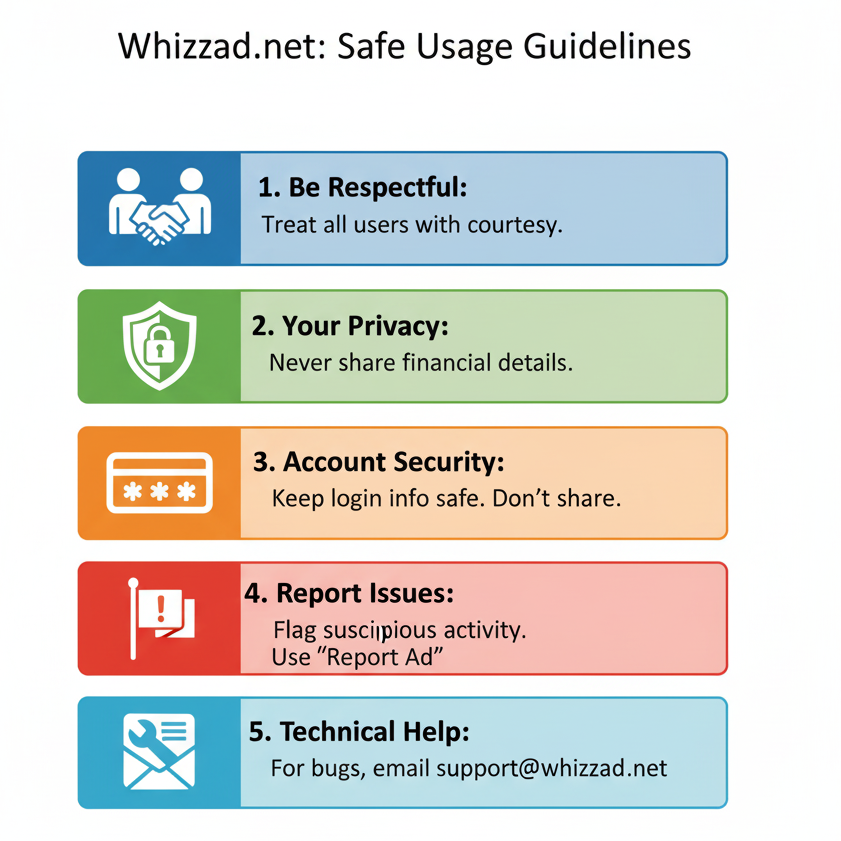
Protecting your account is a priority. We strongly recommend creating a unique and strong password and never sharing it with anyone. For more detailed advice on protecting yourself from phishing and other risks, please read our “Account Security” guidelines.
The “Remember Me” checkbox saves your login session on your current browser, so you don’t have to log in every time you visit Whizzad. For security reasons, we advise against using this feature on shared or public computers. For more information, visit our Account Security page.
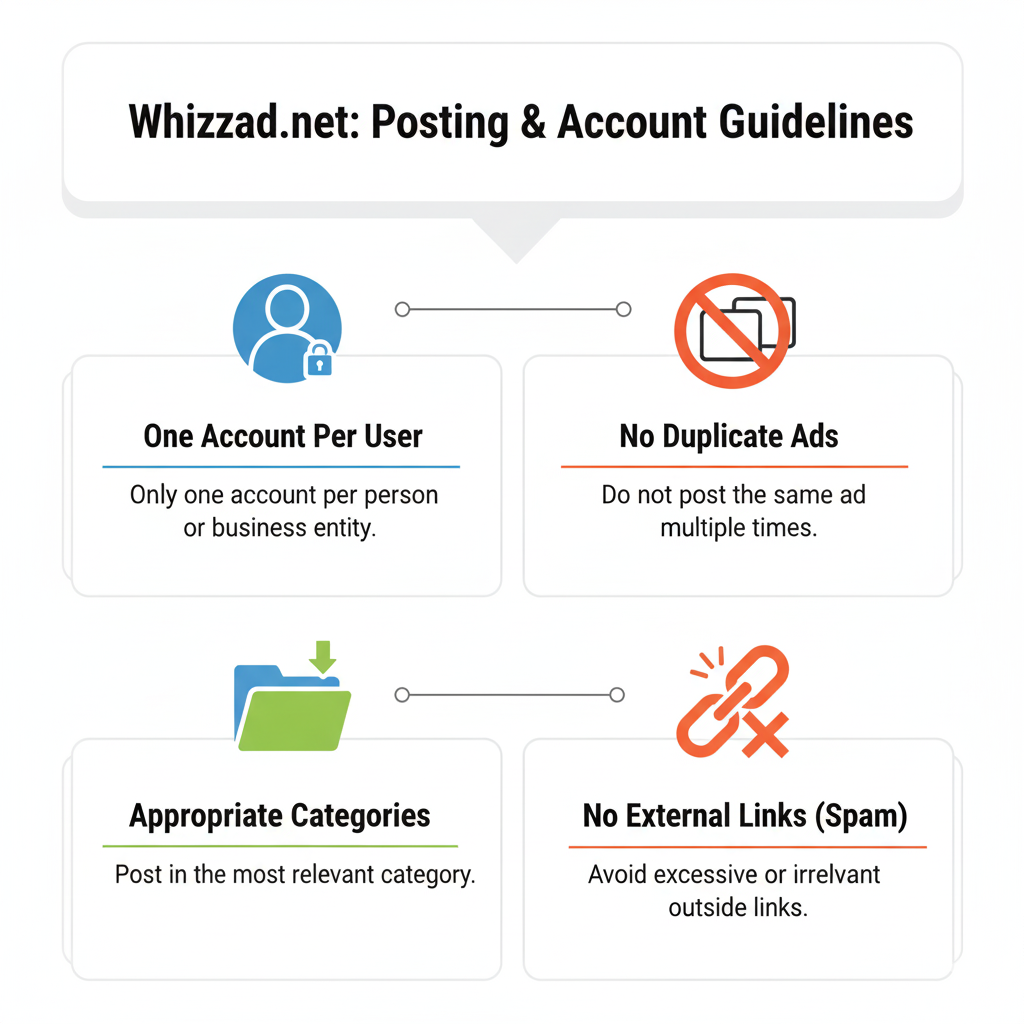
Currently, we do not support the merging of multiple accounts. Each account created with a unique email address is treated as separate. We recommend using a single account to manage all your ads to keep everything organized in one “Dashboard”. If you wish to stop using an account, you can follow the steps on our Account and Data Deletion page.
If you believe you have been defrauded by a user on our platform, we urge you to contact your local law enforcement authorities immediately. We have created “Guidelines for Law Enforcement Agencies” to assist them in their investigations. You should also report the user and the ad to us via our “Contact Us” page so we can take appropriate action on our platform.
Listing Ads
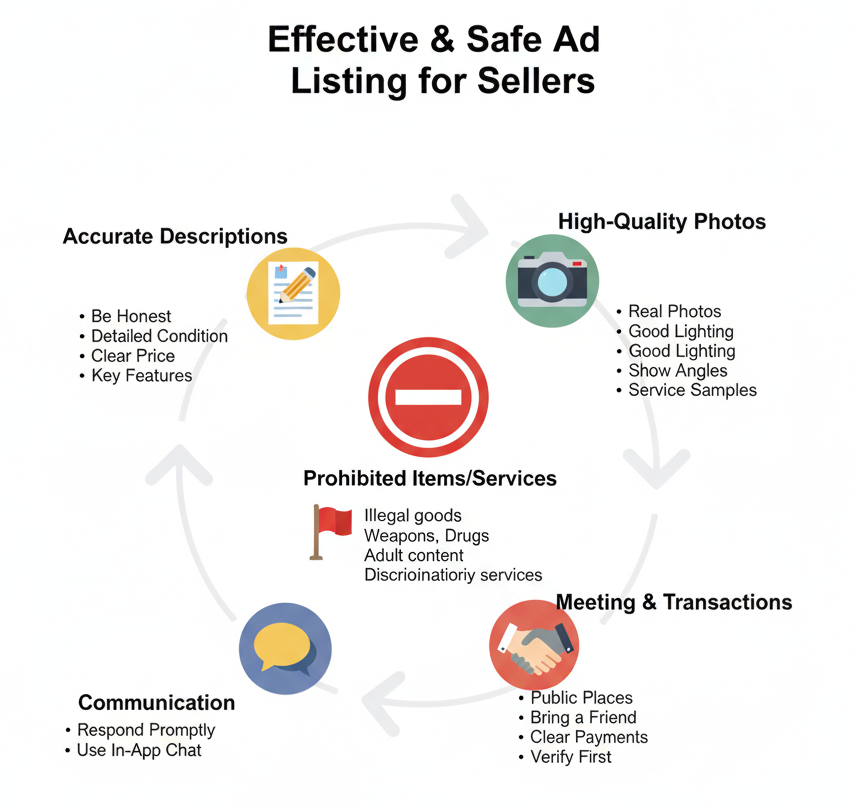
Posting an ad is a simple three-step process: Create an Account, Submit Ads, and Start Earning. Once you are logged in, click on the “Post Your Ad” or “Add Listing” button. You will then be guided to select a category, fill in the details of your item or service, and submit it.
Yes, a core feature of our platform is the ability to post Free Advertisements. This allows you to grow your business or sell your items without an initial cost. While basic listings are free, we may offer paid promotional options for greater visibility.
Our goal is to help you grow your business. Currently, you can post free ads in our various categories. For specific limits or fair usage policies, please refer to our Terms and Conditions, as these may be updated.
After you submit an ad, it goes through a brief review process to ensure it meets our quality and safety standards. This process is usually quick, but there might be a slight delay before your ad appears live on the site. You can check the status of your submissions in your “Dashboard”.
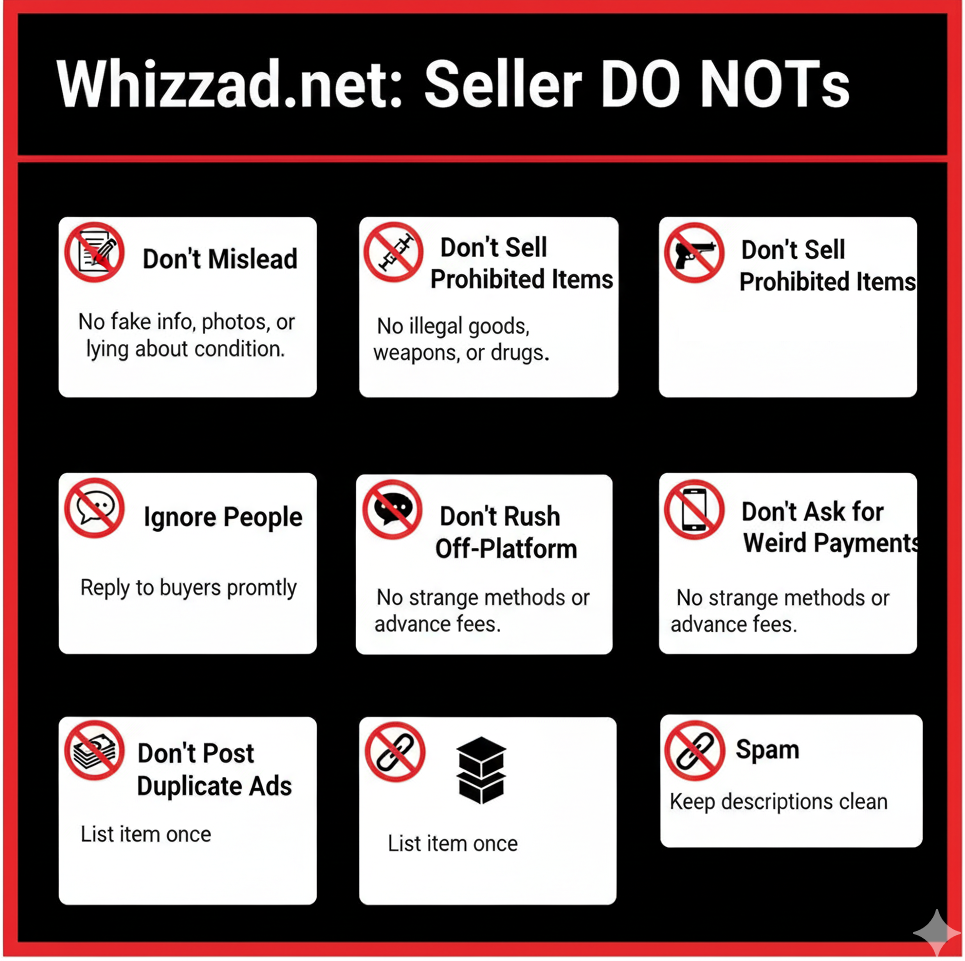
An ad is typically rejected if it violates our posting rules or Terms and Conditions. This could be due to the item being in a prohibited category, containing inappropriate content, or being a duplicate post. Please review our policies and try posting again.
You can post ads in a wide range of categories, including Real Estate (like Land&Plots, Apartments, Houses, and Agricultural Land), Electronics, Fashion, Hobbies, Home, Jobs, Services, and Vehicles.
Yes, for the safety of our community, certain items and services are not permitted on Whizzad. For a complete list of prohibited items, please consult the “Posting Rules” section within our Terms and Conditions.
You have full control over your listings. To make changes or remove an ad, simply log in and go to your personal “Dashboard”. There you will find options to edit or delete each of your active ads.
The duration of a standard ad can vary. You can always check the status, view count, and expiration date of your listings in your “Dashboard”. We will typically notify you before your ad is scheduled to expire.
You may see “Featured” or “Popular” tags on some listings.
- Featured Ads are typically paid promotions that give a seller’s ad premium placement on our site for maximum visibility.
- Popular Ads are listings that have gained significant interest and views from the community.
To get more views and sell faster, you can opt to make your ad “Featured”. You will find options for promoting your ad during the posting process or through your “Dashboard”. For future updates on promotional services, we recommend you Subscribe & Update.
Choosing the most specific category helps buyers find your item easily. For example, if you are selling a house, list it under the “Houses” category rather than the general “Real Estate” category to attract more targeted buyers.
A great ad is detailed and honest. Be sure to include:
- Clear photos of the item.
- An accurate price (you can use our price filter tool as a guide).
- A detailed description, including its condition (e.g., “Resale,” “Ready to Move”).
Your location to help local buyers find you.
Congratulations on your sale! To avoid receiving further inquiries, please log into your “Dashboard” and delete the ad or mark it as “Sold”. This helps keep our platform current for other users.
Buyers can express interest in your ad through the “Request Info” option. You will be notified of these inquiries through your registered contact method or a messaging system within your “Dashboard”. For your safety, we recommend communicating within our platform and reading our Account Security guidelines.
Fraud & Safety Support
Yes, it is. The platform’s model is designed to help you “Grow your Business with Free Advertisements”. Unlike some other platforms, you will not be asked to pay for basic ad listings or for packages, as ad posting is free.
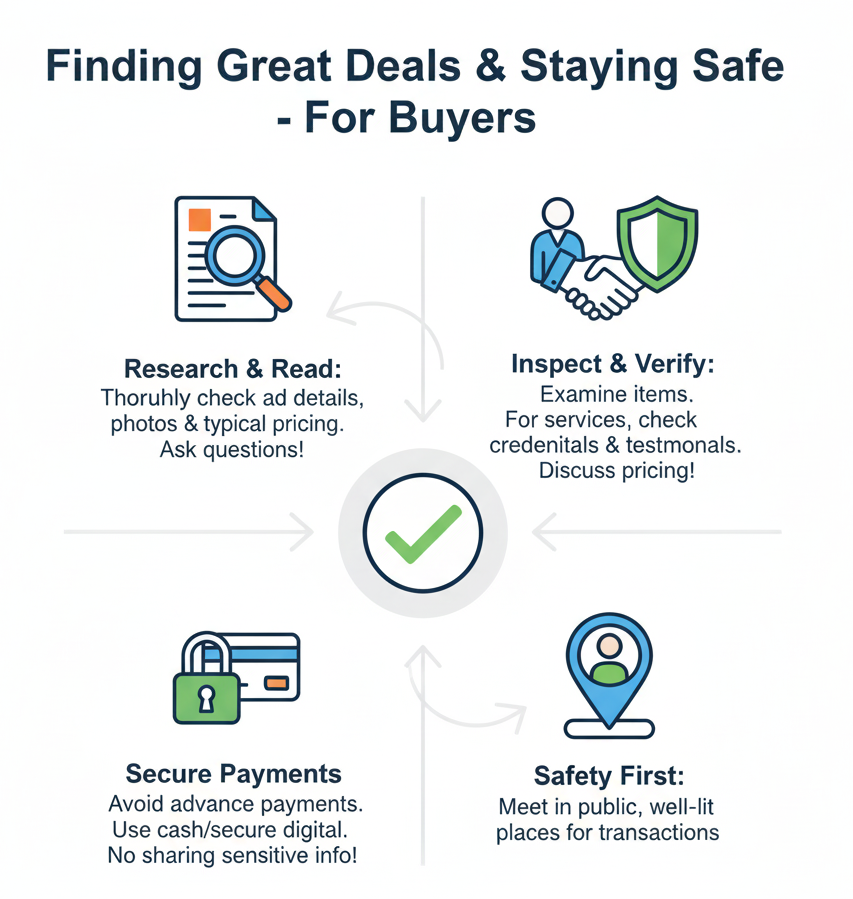
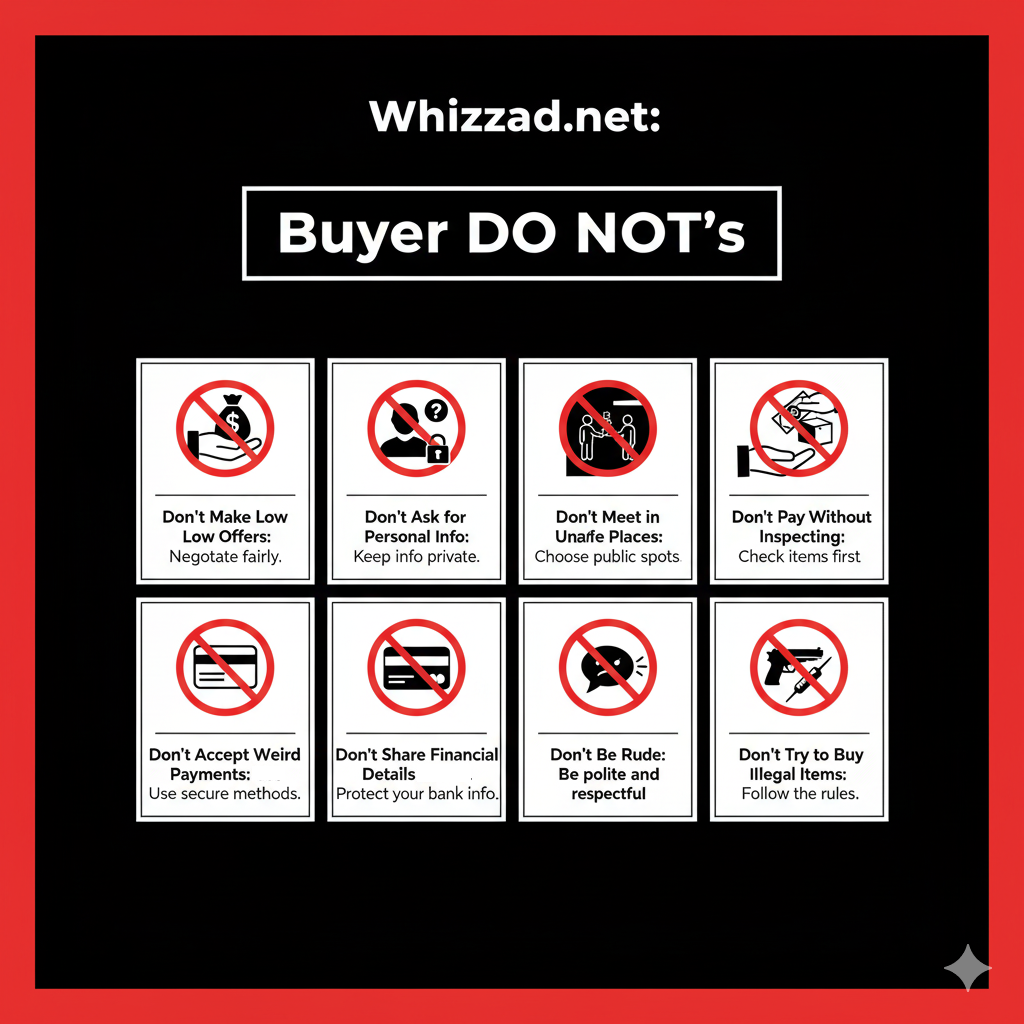
The most critical piece of advice provided is to “Never scan QR code or share your OTP with anyone”. Following this rule is your first line of defense against financial scams and account takeovers.
The help center provides a specific guide on “How to identify a fraudster”. This resource will teach you to recognize common red flags and suspicious behaviors that scammers often display.
There is a dedicated article in the help center titled “How can I protect myself from fraudsters?”. This guide offers proactive steps and best practices to ensure your interactions on the platform are safe.
If you suspect you have become a victim of fraud, it is crucial to act quickly. The help center has a step-by-step guide titled, “I have been defrauded, what to do next?” that outlines the immediate actions you should take.
Compromising your login details is a serious security risk. The help center explains exactly what to do if you have shared your password or OTP with someone to help you secure your account immediately.
To help maintain a safe community, the platform allows you to “report a seller or Ad”. Your report will be sent to the administrators, who can investigate the issue and take necessary action.
You do not have to tolerate inappropriate behavior. If another user is spamming you, using bad language, or sending threatening messages, you have the option to “block that user” to prevent any further contact.
If you are unable to access your account, it might be because it has been suspended, banned, or disabled by the platform, possibly for a policy violation. The help center provides an article to help you understand this situation.
For a comprehensive understanding of your rights and responsibilities, you can review the platform’s official “Terms and Conditions” and “Privacy Policy” documents.
Yes, you can find more information about protecting your account by visiting the “Account Security” page.
The platform has established formal “Guidelines for Law Enforcement Agencies,” outlining the procedures for handling official requests and legal matters.
You can learn about how your data is collected, used, and protected by reading the “Privacy Policy”. There is also information available regarding “Account and Data Deletion”.
If you need to reach out to the platform’s support team directly with a question or concern, you can do so through the “Contact Us” page.
The primary resource for all user guidance is the “Help & Support” center, which contains a dedicated “Fraud” section with numerous helpful articles to keep you informed and safe.
Searching for Listings
You can start by using the main “Search” bar on the homepage to find anything you want. The homepage may also display “Popular Ads” to give you an idea of what others are looking for in categories like Electronics, Real Estate, and Vehicles.
To narrow down your search, use the “More Filters” option. This allows you to set a specific price range (using ₹) and define a search radius in kilometers to find items located near you.
The platform’s help center offers guidance on searching for items specifically within your preferred location. You can also browse listings by exploring different cities available on the site.
Yes, you can “Browse by popular categories” directly from the main page. The platform organizes listings into major categories such as Real Estate, Vehicles, Electronics, Jobs, Services, Fashion, Hobbies, and Home to make browsing easy.
You have the flexibility to change how you view content. For listings, categories, and locations, you can switch between a “Grid View” and a “List View” to suit your preference.
Yes, the platform includes a “Map View” feature. This allows you to see the geographical location of various listings on a map, which can be helpful for understanding an item’s proximity. The map view is available in different layouts, such as 2-column and 3-column formats.
The sources indicate that the help center has an article that specifically addresses why a product or location of your choice might not currently be available on the platform.
Communicating with Other Users
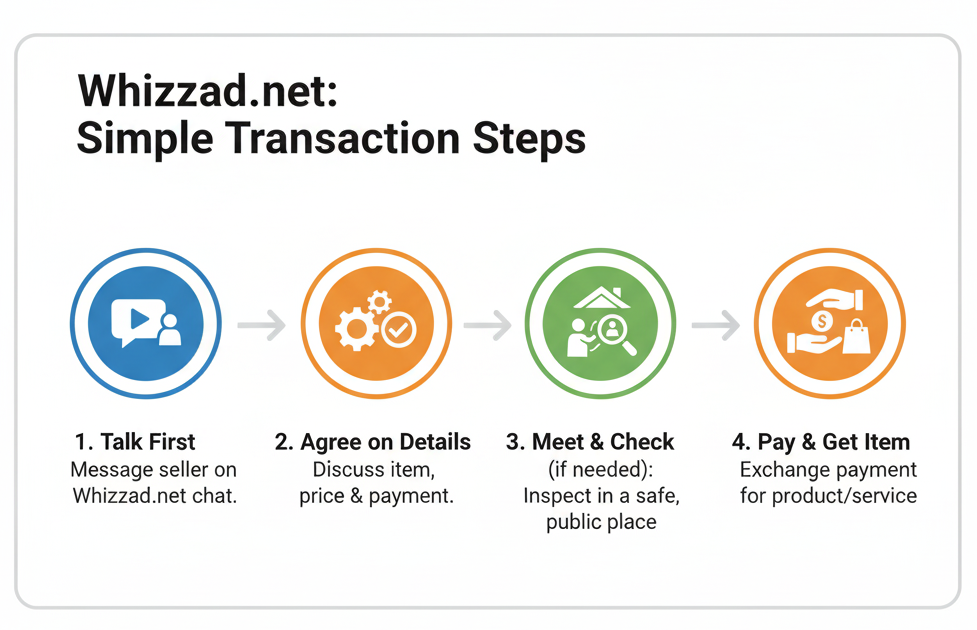
The primary way to get in touch with a seller is to initiate a chat with them directly through the application. Alternatively, some listings may have a “Request Info” button that you can use to express interest and ask questions.
If you are having trouble seeing your chat messages, it might be a technical issue with the application. The help center has a dedicated article to help you troubleshoot this problem.
The chat function includes a feature that allows you to share your location with the other user. This is particularly useful for coordinating a safe and convenient meetup spot to finalize a transaction.
Yes, you can view a seller’s public profile page, referred to as the “Author Profile,” to see more details about them and their listings.
Your security is paramount. The platform explicitly warns users to never scan a QR code or share your OTP (One-Time Password) with anyone. For more detailed information, the help center has articles on how you can protect yourself from fraudsters.
The “Fraud” section of the help center provides specific guidance on how to identify a fraudster. Learning to recognize suspicious behavior or unusual requests is a key step in protecting yourself from scams.
If you encounter a user who is using bad language, sending threatening messages, or spamming you, you have the option to block that user to stop all communication from them.
To help maintain a safe community, you can report any seller or ad that you believe is fraudulent or violates the platform’s rules. Your report will be sent to the platform administrators for review.